

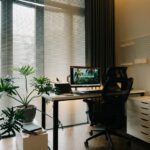
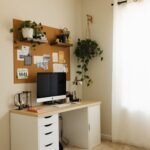

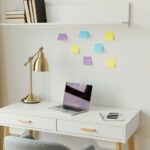

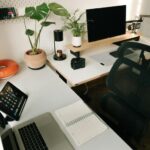


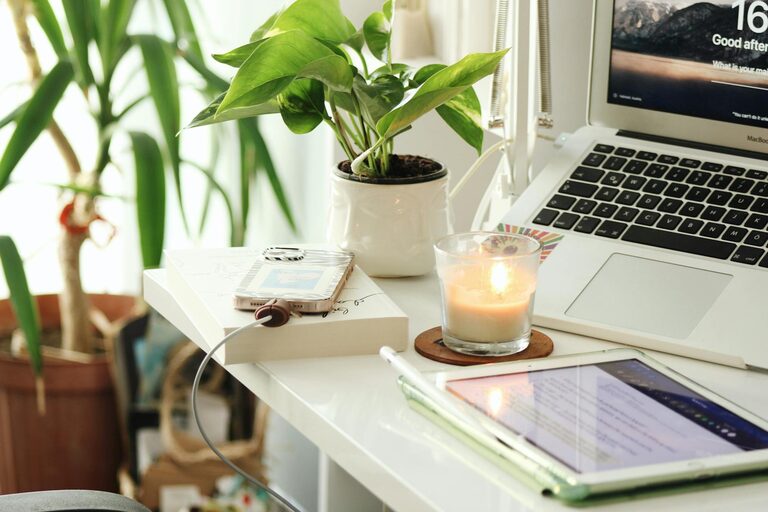
Creating a comfortable and productive home workspace is essential for anyone working remotely or spending significant time on tasks at home. A well-designed workspace can enhance your focus, reduce distractions, and support your physical health, all of which contribute to better work performance and overall well-being. This guide offers practical tips to help you set up an environment that suits your needs, whether you have a dedicated room or a small corner to work in.
Choose the Right Location
Finding the best spot for your home workspace is the foundation of comfort and productivity. Here are some considerations:
– Natural Light: Choose a space with plenty of natural light where possible. It improves mood and helps reduce eye strain.
– Away from Distractions: Select a quiet area, away from high-traffic zones in your home to minimise interruptions.
– Ventilation: Good airflow is important to keep you alert and comfortable during long hours.
– Space Requirements: Ensure there is enough room for your desk, chair, and any equipment you need.
If space is limited, consider creative setups such as a fold-away desk or a small nook that can serve as your workstation.
Invest in Ergonomic Furniture
Comfort plays a vital role in productivity, especially if you spend many hours at your desk. Ergonomic furniture helps maintain good posture and prevents discomfort.
– Desk: Choose a desk with sufficient surface area to accommodate your computer, documents, and any accessories without clutter.
– Chair: An ergonomic chair with adjustable height, lumbar support, and comfortable cushioning will reduce strain on your back.
– Monitor Height: Position your monitor at eye level to avoid neck and shoulder pain. Using a monitor stand or adjustable arm can help.
If your budget is limited, simple adjustments like using cushions or footrests can also aid comfort.
Organise Your Workspace Efficiently
An organised workspace promotes focus and efficiency by reducing distractions caused by clutter.
– Storage Solutions: Use drawers, shelves, or filing cabinets to keep supplies and documents tidy.
– Desk Accessories: Keep only essential items on your desk and store the rest away.
– Cable Management: Use clips, ties, or cable organisers to keep cords neat and prevent tangling.
– Daily Reset: Spend a few minutes at the end of each day to tidy your workspace for a fresh start tomorrow.
Manage Lighting and Reduce Eye Strain
Proper lighting can make a significant difference in how comfortable your workspace feels and how well you concentrate.
– Use Natural Light: Position your desk near a window but avoid glare on your computer screen.
– Task Lighting: Employ adjustable desk lamps to provide focused lighting for reading or detailed work.
– Avoid Harsh Lights: Use soft, warm lighting to prevent strain and create a pleasant atmosphere.
– Screen Settings: Adjust the brightness and contrast of your monitor to suit your environment.
Minimise Noise and Distractions
A calm, quiet workspace helps you maintain concentration. Here are some ideas to reduce noise and interruptions:
– Noise-Cancelling Headphones: These can block out background sounds, especially in busy households.
– White Noise Machines or Apps: Background sounds like white noise or nature sounds can mask distracting noises.
– Set Boundaries: If possible, communicate your working hours with family or housemates to avoid interruptions.
– Limit Digital Distractions: Use apps or browser extensions that restrict distracting websites during work hours.
Personalise Your Workspace
Adding personal touches can make your workspace more inviting and motivate you to spend time there.
– Plants: Indoor plants not only improve air quality but also add a touch of nature and calm.
– Artwork or Photos: Having visual stimuli that inspire and relax you can boost creativity.
– Comfort Items: Keep a favourite mug, a cosy blanket, or scented candles nearby to enhance comfort.
– Colour: Consider painting the workspace with a calm and neutral colour palette that promotes focus.
Maintain Healthy Work Habits
A comfortable workspace supports healthy working habits which keep productivity high and stress low.
– Regular Breaks: Follow techniques such as the Pomodoro method (25 minutes work, 5 minutes rest) to avoid burnout.
– Stretching: Take time to stretch and move to reduce muscle stiffness and improve circulation.
– Stay Hydrated: Keep a water bottle nearby and drink regularly.
– Separate Work from Leisure: If possible, avoid working in your bedroom or relaxing areas to maintain clear boundaries between work and downtime.
Use Technology Wisely
Choosing the right tools can improve your efficiency and organisation.
– Reliable Internet: Ensure your internet connection is strong and stable for video calls and online work.
– Ergonomic Accessories: Items like an external keyboard and mouse can reduce strain caused by laptop use.
– Productivity Apps: Utilise calendars, task managers, and note-taking apps to keep track of your workload.
– Backup Systems: Use cloud storage or external drives to protect your important files.
—
With thoughtful planning and attention to your needs, you can create a home workspace that is both comfortable and productive. The key is striking a balance between functionality, comfort, organisation, and personal preferences. Start with small changes, and over time, you’ll develop a space that helps you focus, stay healthy, and enjoy your work-from-home experience.